文章来源:网络作者:淡忘发布时间:2026-05-22 16:41:48
一些Win7系统用户反馈自己系统进程中有一个fmapp.exe进程,不知道是什么,会不会对计算机有危害,又如何关闭或禁用fmapp.exe进程,带着这些问题我们一起来看看Win7系统之家小编整理的信息。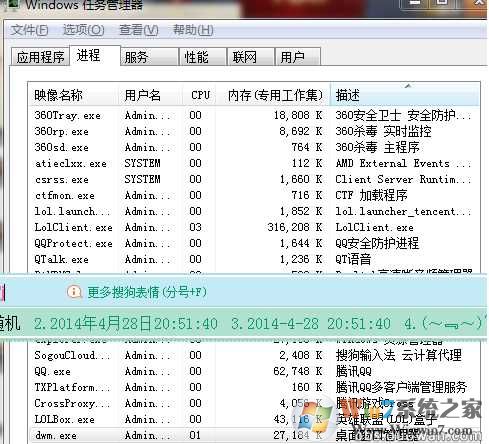
fmapp.exe进程,路径是\CONEXANT\ForteConfig\fmapp.exe
从国外网站查到如下信息:
Usually found on certain Lenovo notebooks, it is installed with the software for the Conexant Audio Driver. During installation, it is set to start automatically. www.winwin7.com Whether it actually needs to run at startup is not known at this time. www.winwin7.com
是联想电脑声卡Conexant Audio Driver驱动程序的一部分。
fmapp.exe进程对应Fmapp Application服务。
Fmapp Application,联想主机使用了Conexant 系列声卡芯片,您这个是其声卡驱动自带应用程序中的一个,比较类似网络广播或收音机程序,可以禁用,对系统运行没有任何影响。
fmapp.exe进程怎么禁用:
1、打开运行输入msconfig 回车,然后在启动项中查看是否有关于fmapp的启动项,有的话取消勾选确定;
2、运行中输入services.msc回车,然后在服务中查找Fmapp Application服务,设置为禁用。
希望上述小编整理的文档对大家有所作用。

梦想三国之勇往直前0.1折

炼仙传说0.1折
仙侠01折
充值享永久0.1折福利,登录每日领2000免费代金券;;

不可思议的刀剑与魔法0.1折
卡牌01折
进游立送真充卡,开局自带“钞能力”

逍遥浪人
卡牌
1折送绝版皮肤 全场充值永久1折,创角即送“黑神话”孙悟空绝版皮肤。

奇幻梦旅人
休闲
当个无忧无虑的旅人,尽情享受这个童话世界吧!

玄影0.1折
仙侠01折
全场充值永享0.1折!

点击冒险之旅(0.1折特级行...
卡牌01折
上线福利:登录即送创角大礼包,召唤顶级战力!

天神赵子龙0.1折
卡牌01折
全新0.1折放置卡牌,打破传统三国叙事,解锁新颖剧情,每日送1000代金;

九州异兽记0.1折
开箱01折
1分钱买SSR异兽

龙魂魔法0.1折
185传奇996传奇
上线即送:自动拾取、自动回收、切割+222、老男孩·称号!

魔药杂货铺什么时候出 公测上线时...