文章来源:网络作者:思君发布时间:2026-05-23 03:19:07
今天小编和大家一起学习的是如何在微信小程序中实现厕所雷达?一定有许多朋友很是期待吧,下面就是详细的内容。
下面直接上图:


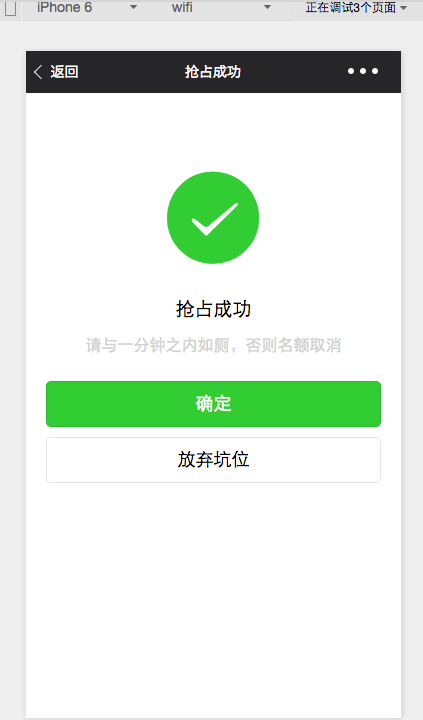
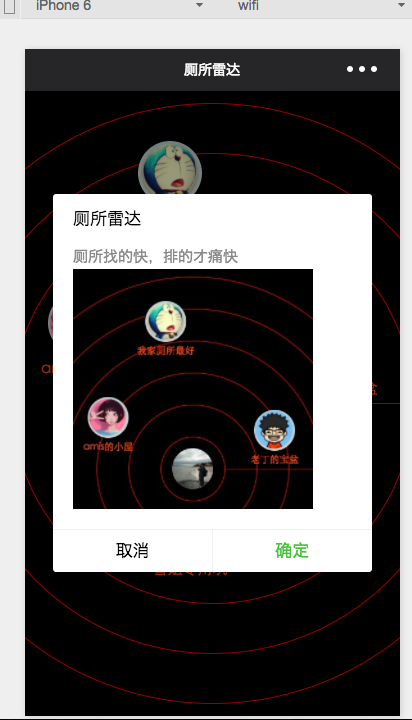
js:
//index.js
var app = getApp()
var winHeight = 0
var winWidth = 0
Page({
data: {
//背景图片,现在没有
img:\'/pages/image/123.png\',
//确定左边距距离,上边距距离,厕所title,头像dataArr:[{\'left\':200,\'top\':100,\'title\':\'我家厕所最好\',\'img\':\'/pages/image/1.png\'},{\'left\':20,\'top\':400,\'title\':\'amis的小屋\',\'img\':\'/pages/image/2.png\'},{\'left\':540,\'top\':440,\'title\':\'老丁的宝盆\',\'img\':\'/pages/image/3.png\'},{\'left\':240,\'top\':800,\'title\':\'雪姐专用坑\',\'img\':\'/pages/image/4.png\'}]
},
//进页面后获取数据
onLoad: function () {
console.log(\'onLoad\')
var that = this
//调用应用实例的方法获取全局数据
app.getUserInfo(function(userInfo){
console.log(userInfo)
//更新数据
that.setData({
userInfo:userInfo
})
})
//获取数据
wx.getSystemInfo({
success: function(res) {
console.log(res)
winHeight = res.windowHeight;
winWidth = res.windowWidth;
}
})
// 使用 wx.createContext 获取绘图上下文 contextvar context = wx.createContext()
context.arc(winWidth/2, winHeight/2, 50, 0, 2 * Math.PI, true)context.arc(winWidth/2, winHeight/2, 100, 0, 2 * Math.PI, true)context.arc(winWidth/2, winHeight/2, 150, 0, 2 * Math.PI, true)context.arc(winWidth/2, winHeight/2, 200, 0, 2 * Math.PI, true)context.arc(winWidth/2, winHeight/2, 250, 0, 2 * Math.PI, true)context.arc(winWidth/2, winHeight/2, 300, 0, 2 * Math.PI, true)context.setStrokeStyle(\'red\')
context.setLineWidth(1)
context.stroke()
// 调用 wx.drawCanvas,通过 canvasId 指定在哪张画布上绘制,通过 actions 指定绘制行为wx.drawCanvas({
canvasId: \'radar\',
actions: context.getActions() // 获取绘图动作数组})
},
onShareAppMessage: function() {
// 用户点击右上角分享
return {
title: \'厕所雷达\', // 分享标题
desc: \'厕所找的快,排的才痛快\', // 分享描述path: \'path\' // 分享路径
}
}
})
wxml:
wxss:
/**index.wxss**/
page{
background: black;
height: 100%;
}
canvas{
width: 100%;
height: 100%;
}
.userinfo {
position:absolute;
top: 561rpx;
left:311rpx;
width: 128rpx;
height: 128rpx;
border-radius: 50%;
}
.toiletView{
position:absolute;
width: 180rpx;
height: 180rpx;
}
.toiletView-image{
position:absolute;
left: 13px;
top: 0px;
width: 128rpx;
height: 128rpx;
border-radius: 50%;
}
.toiletView-text{
position:absolute;
bottom: 10rpx;
font-size: 30rpx;
color: orangered;
width: 180rpx;
text-align: center;
}
以上就是如何在微信小程序中实现厕所雷达的全部内容了,大家都学会了吗?
下一篇:微信新功能实时查看空气质量

梦想三国之勇往直前0.1折

炼仙传说0.1折
仙侠01折
充值享永久0.1折福利,登录每日领2000免费代金券;;

不可思议的刀剑与魔法0.1折
卡牌01折
进游立送真充卡,开局自带“钞能力”

逍遥浪人
卡牌
1折送绝版皮肤 全场充值永久1折,创角即送“黑神话”孙悟空绝版皮肤。

奇幻梦旅人
休闲
当个无忧无虑的旅人,尽情享受这个童话世界吧!

玄影0.1折
仙侠01折
全场充值永享0.1折!

点击冒险之旅(0.1折特级行...
卡牌01折
上线福利:登录即送创角大礼包,召唤顶级战力!

天神赵子龙0.1折
卡牌01折
全新0.1折放置卡牌,打破传统三国叙事,解锁新颖剧情,每日送1000代金;

九州异兽记0.1折
开箱01折
1分钱买SSR异兽

龙魂魔法0.1折
185传奇996传奇
上线即送:自动拾取、自动回收、切割+222、老男孩·称号!

魔药杂货铺什么时候出 公测上线时...